Three case studies
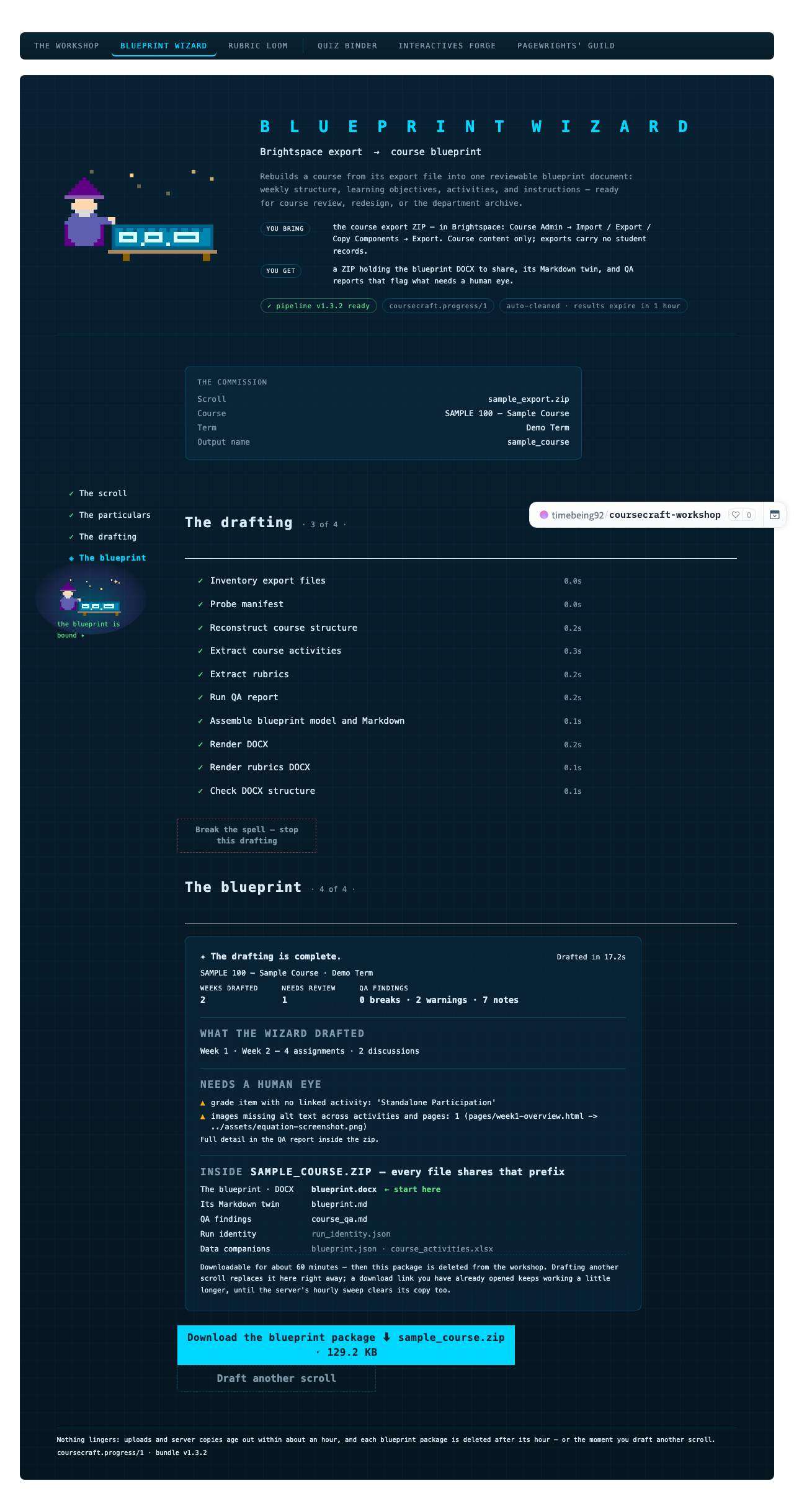
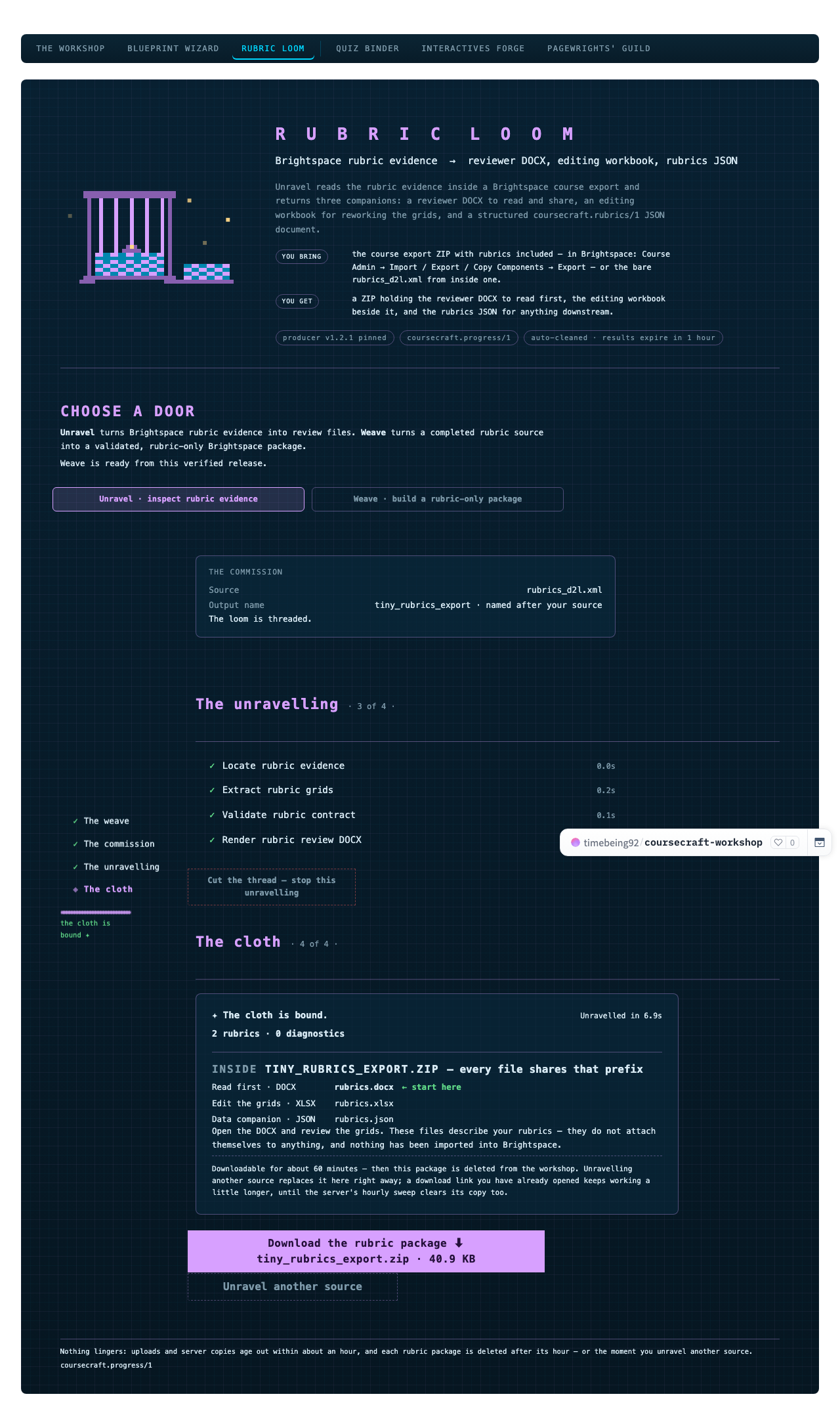
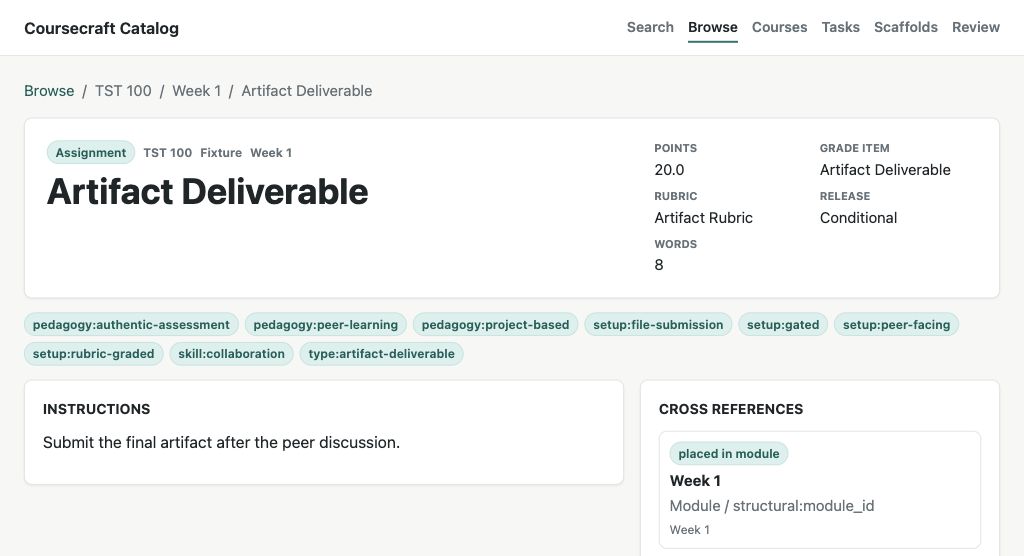
Blueprint Wizard and Rubric Loom are ordinary deterministic software (the same input always gives the same output). No AI model runs inside them to interpret an institution’s course files, and when they meet a structure they do not recognize, they report it rather than guess what it means.
To use them directly:
- Blueprint Wizard 2.9.0, the current release
- Rubric Loom 1.0.2, the current release
- The CourseCraft Workshop, the hosted demonstration, which needs no install and may take a moment to wake
From export to use
A person has to be able to read a Brightspace export before using it, and to check a rubric before rewriting it; a curriculum map helps a reviewer only while its claims can still be traced to the source.
How the pieces fit
The CourseCraft Workbench is a private workspace where I study export shapes the tools do not yet support and settle questions of schema (the versioned format in which one tool hands its evidence to the next). Reviewed behavior moves from there into a bundle, the engine that does all the reading and writing. Blueprint Wizard, Rubric Loom, and the CourseCraft Workshop present what the bundles produce, and the CourseCraft Catalog keeps that evidence for later review and mapping.
A runner, the application a person installs to run a bundle, may guide someone through a workflow but does not reinterpret the source, and the Workshop may present results but does not become a second engine. When the Catalog needs a fact that the bundle does not provide, the extraction goes into the bundle, and the Catalog does not guess.
Local and hosted
| Local terminal application | Hosted CourseCraft Workshop |
|---|---|
| Best for private institutional exports and routine work | Best for zero-install exploration and demonstrations |
| Files stay on the user’s machine | Uploaded files enter a time-limited hosted runtime |
| Managed releases support verified updates and rollback | The browser runs an exact, pinned bundle release |
| Primary path for real course work | Secondary path for samples and colleague review |
Both run the same bundle, each pinned to an exact release. The CourseCraft Workshop can take a moment to wake after a period of inactivity, so each case study keeps dated screenshots and points to the local release for sensitive work.
How work reaches a release
A change in how the tools read an export goes through four steps before it reaches a release.
What the tools protect
How a claim is graded
Each capability of the tools is graded on a ladder, so a claim that something works also says how that is known.
One course package has four sandbox import receipts, from October 2026. For the quiz tools, a synthetic quiz went all the way round: imported into Brightspace, edited through the review workbook, rebuilt, re-imported, and re-exported, with exact matches.
Other parts of CourseCraft
- CourseCraft Catalog and Archivist (local prototype). A local database that keeps every course component tied to its source, checks each export at intake, and holds proposed relations between components for a person to review.
- CourseCraft Workbench (research). The private workspace where I study Brightspace export formats, with extractors, schemas, test fixtures (small sample files used in tests), and capability studies, and decide what moves into a release.
- Brightspace Quiz Review Extractor (an earlier public tool). Turns quiz XML into a workbook, JSON, and Markdown for reviewers.
Tools not yet released
The quiz tools are public as release candidates, not yet as a finished release, and Unbind is also in the Workshop. Their repositories are brightspace-quiz-bundle, the release-candidate distribution, and brightspace-quiz-tools-review, the extraction, review, and packaging tools. The Blueprint Packager is private.
- BlueprintWizard released · Packager privateFrom an exportBlueprint WizardA course blueprint, activity workbook, structured evidence, QA findings, and a checksum-backed run receipt.Back to a packageBlueprint PackagerTurns a Word blueprint into an import package and reads the package back to verify it.
- RubricReleasedFrom an exportUnravelPulls existing rubrics into Word, Excel, and structured JSON.Back to a packageWeaveChecks an authored rubric before it writes a validated Brightspace package.
- QuizPublic prereleaseFrom an exportUnbindTurns quizzes into review workbooks.Back to a packageCompose and RebindCompose applies the edits a reviewer accepted, and Rebind builds a package from them.
The Wizard, Loom, Workbench, and Catalog share one habit: when a tool cannot read something, it says so and keeps the evidence for review.
Read: Why unknowns remain visible → Working with AI, including the agents that built these →Sources, and what is left out
The descriptions and release states come from the public runner repositories and the private control repository’s map of the system, as reviewed on 2026-08-01; release numbers and repository visibility were checked again on 2026-11-20. No real course export, course content, or Catalog database is published here, and for sensitive material, local use comes before the hosted demonstrations.